
Opening the Gate Remotely
Many third-party applications aim to enhance user experience by enabling direct control of physical barriers, from within their applications. Izix supports this functionality by providing a robust API that allows for seamless integration of gate operations.
We call this integration "remote gate opening" because there is no local identification of the user (like swiping a bagde), the opening in this case happens via API call. Parameters of localisation are passed in the API call to ensure proximity to the gate.
If you are a specialized access control system looking to use Izix as a parking right validation layer, please refer to this article instead.
Platform Components
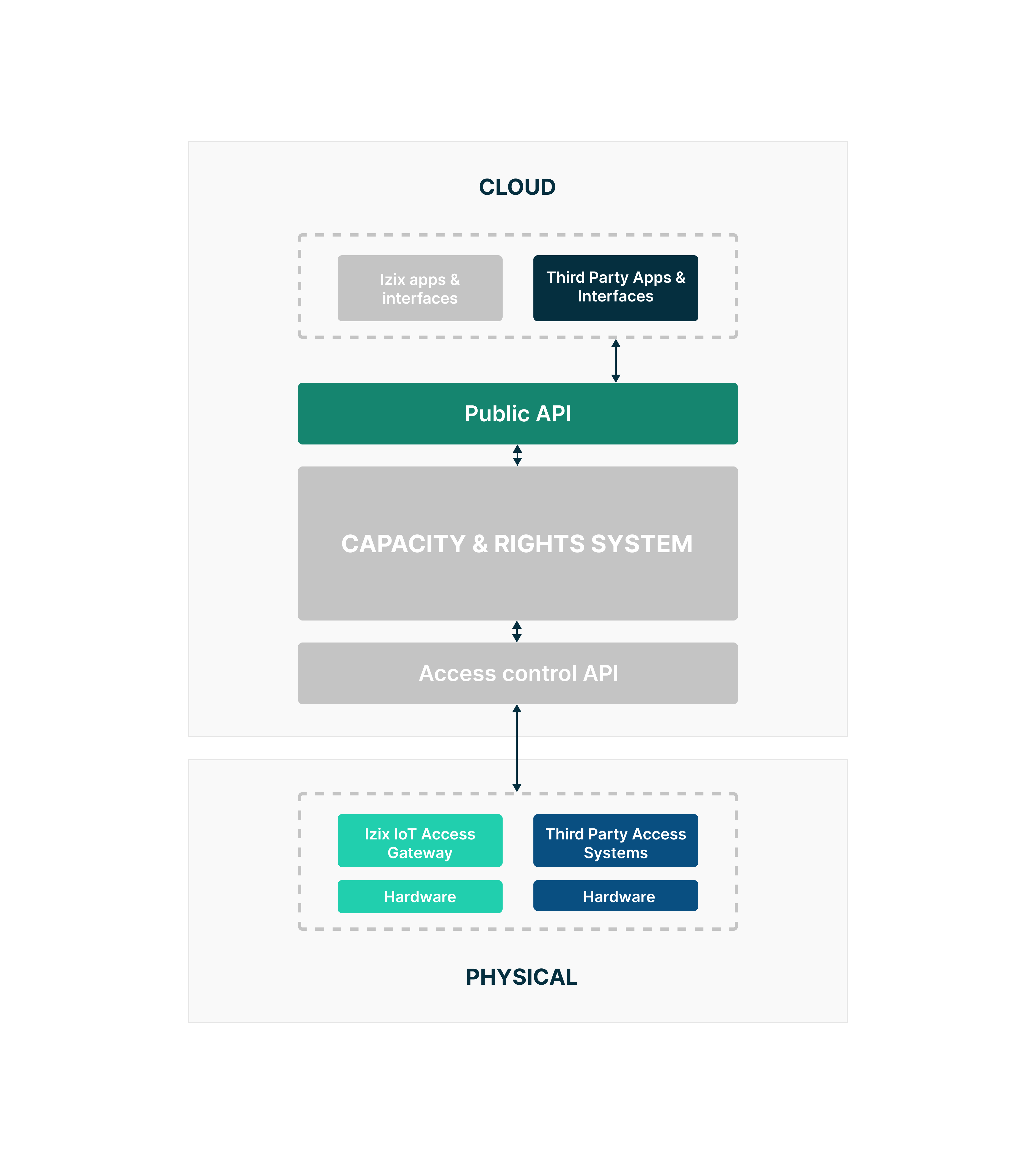
The integration utilizes specific components of the Izix platform, as illustrated in the diagram below.
Integration Process
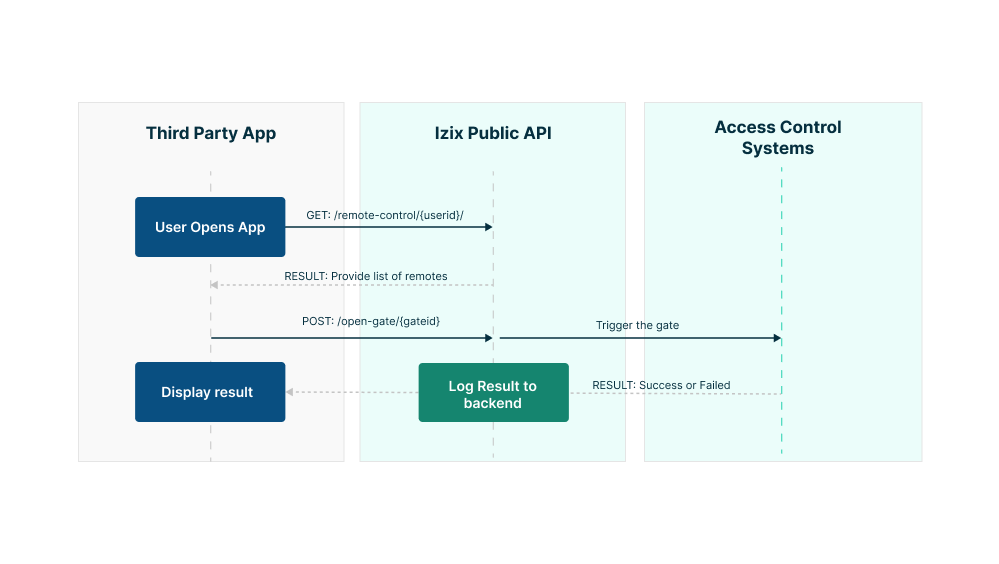
To implement this feature, the following steps outline the process from initiation by a third-party application to the completion of a gate operation:
- Request Remote Controls: The third-party application sends a request to Izix's public API to obtain remote controls available to the user.
- Display Remote Options: The application presents the user with the available remote control options.
- User Confirmation: Upon selection, the user confirms the request to initiate the gate opening.
- Send Open Request: The third-party application posts a request to the Izix public API to open a specific gate.
- Backoffice Processing: The Izix backoffice processes the request, managing the operation, dispatching the order to the physical gate (for any supported access control system) and logging all relevant information. It then sends a response indicating success or failure of the operation.
- Display Results: The third-party application displays the outcome of the operation to the user, providing real-time feedback on the action performed.
Flow Diagram
For detailed API endpoints, parameters, and error handling instructions, refer to our API References. Some endpoints may not be fully visible. Please contact us if necessary.
Updated about 1 year ago